

Your monthly invoice is your billing statement. An EBM receipt is the tax-compliant receipt for a payment you’ve made, generated on demand from a paid invoice.
Before you start: add your entity details
Before you can generate receipts, add your Entity Profile, the legal details that appear on every receipt. Go to Team Settings → General, find the Entity Profile section, and click Add Details.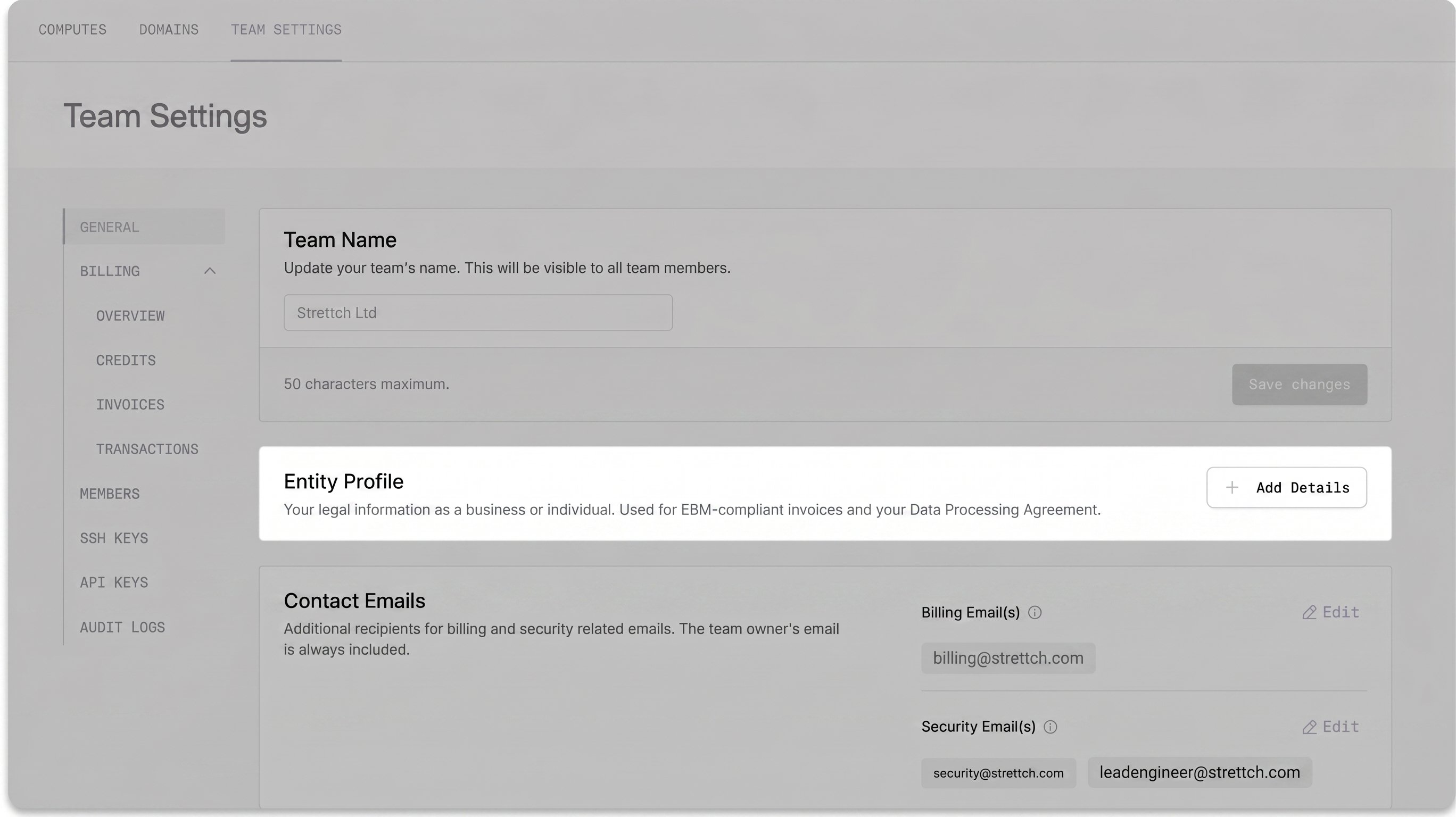
- Country
- TIN (Tax Identification Number): optional, for registered Rwandan businesses
- Company Name
- Province
- Street Address
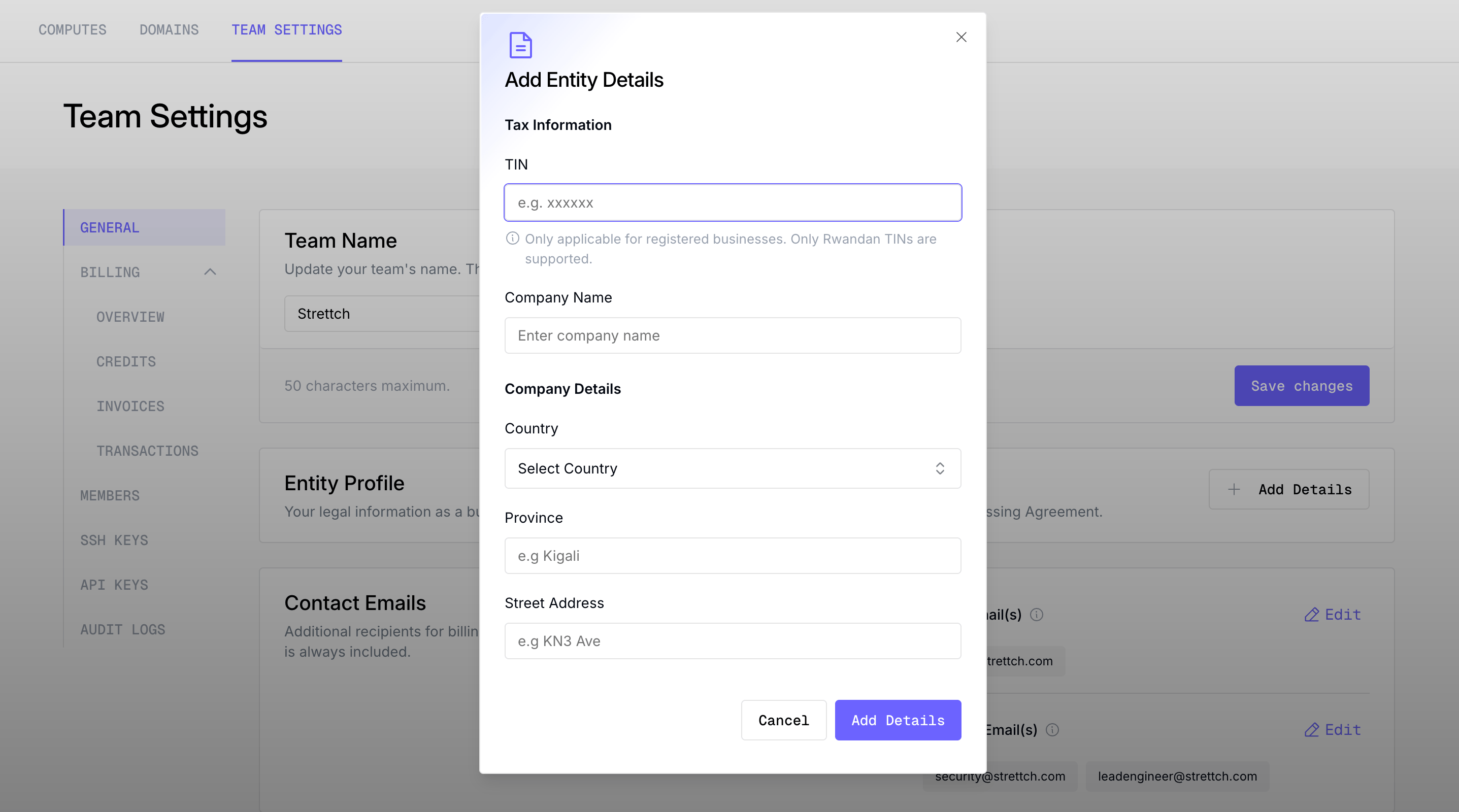
Only team owners and admins can add or edit entity details.
- Registered Rwandan business (with TIN)
- No TIN
Enter your 9-digit TIN. We validate it with RRA in real time and automatically fill in your Company Name and Province from the official record, so you only need to add your Street Address.
Generate a receipt
1
Open your invoices
Go to Team Settings → Billing → Invoices.
2
Choose a paid invoice
Receipts are available for invoices that have been paid. Click the Receipt action on the invoice row.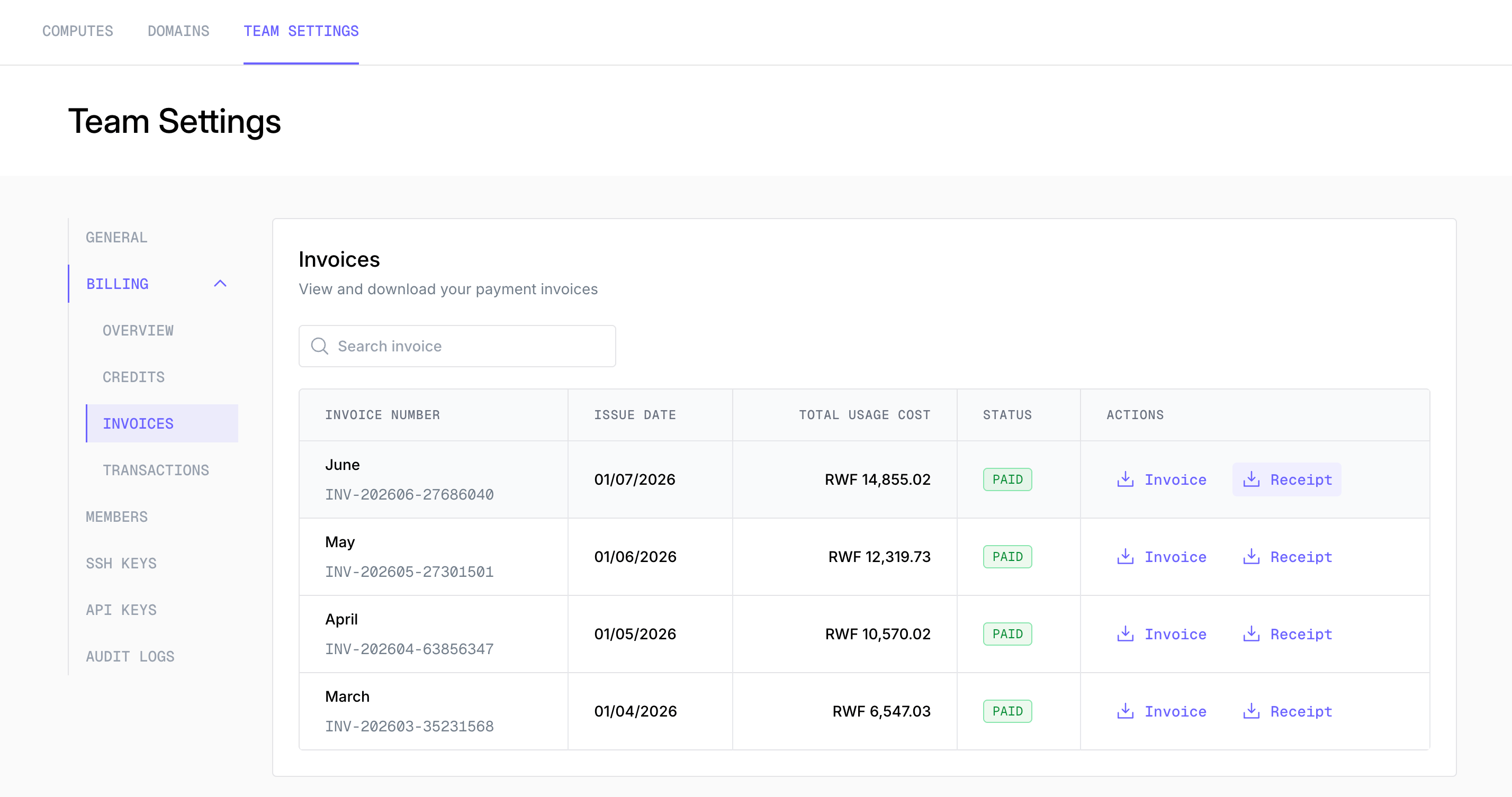
3
Complete your entity details (first time only)
If you haven’t set up your Entity Profile yet, you’ll be asked to add your company details first. Click Add Details, complete the form, and you’ll be brought back to your invoices to continue.
4
Enter your purchase code (registered businesses only)
If your entity has a TIN, we’ll ask for a 6-character RRA purchase code to authorise the receipt against your TIN. Enter it and confirm.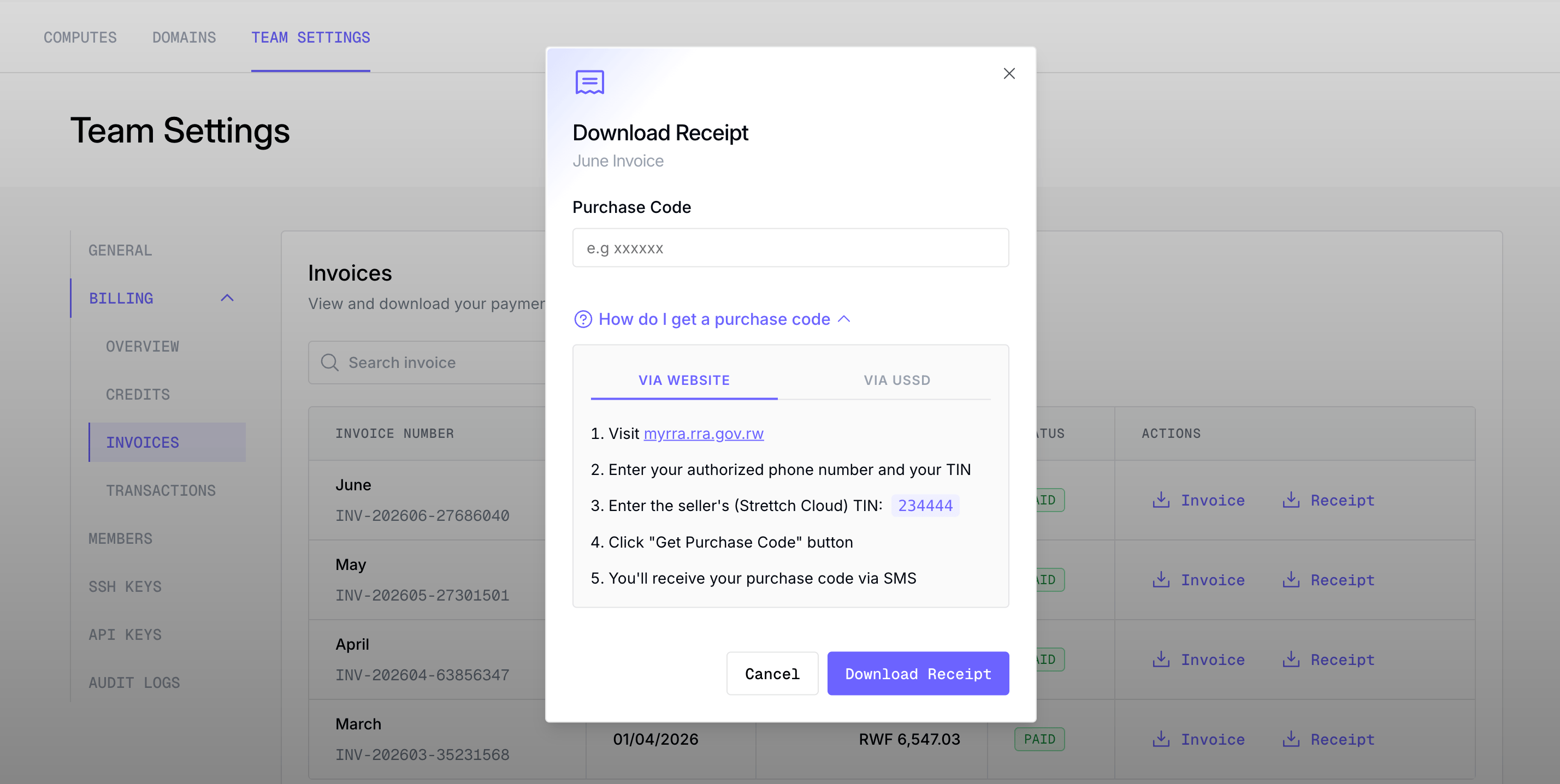
5
Download
Your receipt downloads as a PDF. It’s saved from then on, so the next time you click the receipt action, it downloads instantly.
Purchase codes
If your business is registered with a TIN, RRA requires a purchase code to issue a receipt against that TIN.- It’s exactly 6 characters.
- You obtain it from the RRA portal. In the receipt dialog, use the “How do I get a purchase code?” link for a direct route.
Frequently asked questions
Why isn't there a receipt option on an invoice?
Why isn't there a receipt option on an invoice?
Receipts are only available for invoices that have been paid. Some invoices may also not be eligible for an EBM receipt. In that case, no receipt action is shown.
Can I get a receipt without a TIN?
Can I get a receipt without a TIN?
Yes. The TIN is optional. Once your entity details are complete, a receipt is generated automatically for entities without a TIN, with no purchase code required. In this case the receipt is registered against the team owner’s phone number used held on the platform.
My TIN won't validate.
My TIN won't validate.
Currently, only Rwandan TINs are supported. They must be 9 digits and are checked against RRA as you type (support for more countries is on our roadmap). Double-check the number. If it’s a valid Rwandan TIN and still fails, contact support.
Who can generate receipts and edit entity details?
Who can generate receipts and edit entity details?
Any team member can generate and download receipts from the Invoices tab. Only team owners and admins, however, can add or edit the Entity Profile (the company details that appear on your receipts).
Why isn't a receipt generated when I top up my balance?
Why isn't a receipt generated when I top up my balance?
A top-up simply adds credit to your team’s wallet. It isn’t a purchase of cloud services in itself, so there’s no taxable supply to issue an EBM receipt for yet. EBM receipts are tied to the actual services you consume, which are totalled on your monthly invoice. That’s why receipts are generated from a paid invoice, not from a top-up.
What's the difference between an invoice and a receipt?
What's the difference between an invoice and a receipt?
An invoice is your monthly billing statement for the charges in a cycle. An EBM receipt is the RRA-compliant tax receipt for a payment, generated on demand.