

Quickstart
Go from zero to a running compute instance in a few minutes.
Terraform Registry
The full resource and data-source reference.
Source on GitHub
Browse the code, open issues, and contribute.
Why Terraform?
Infrastructure as code
Describe your compute instances in version-controlled configuration instead of clicking through the console.
Reproducible environments
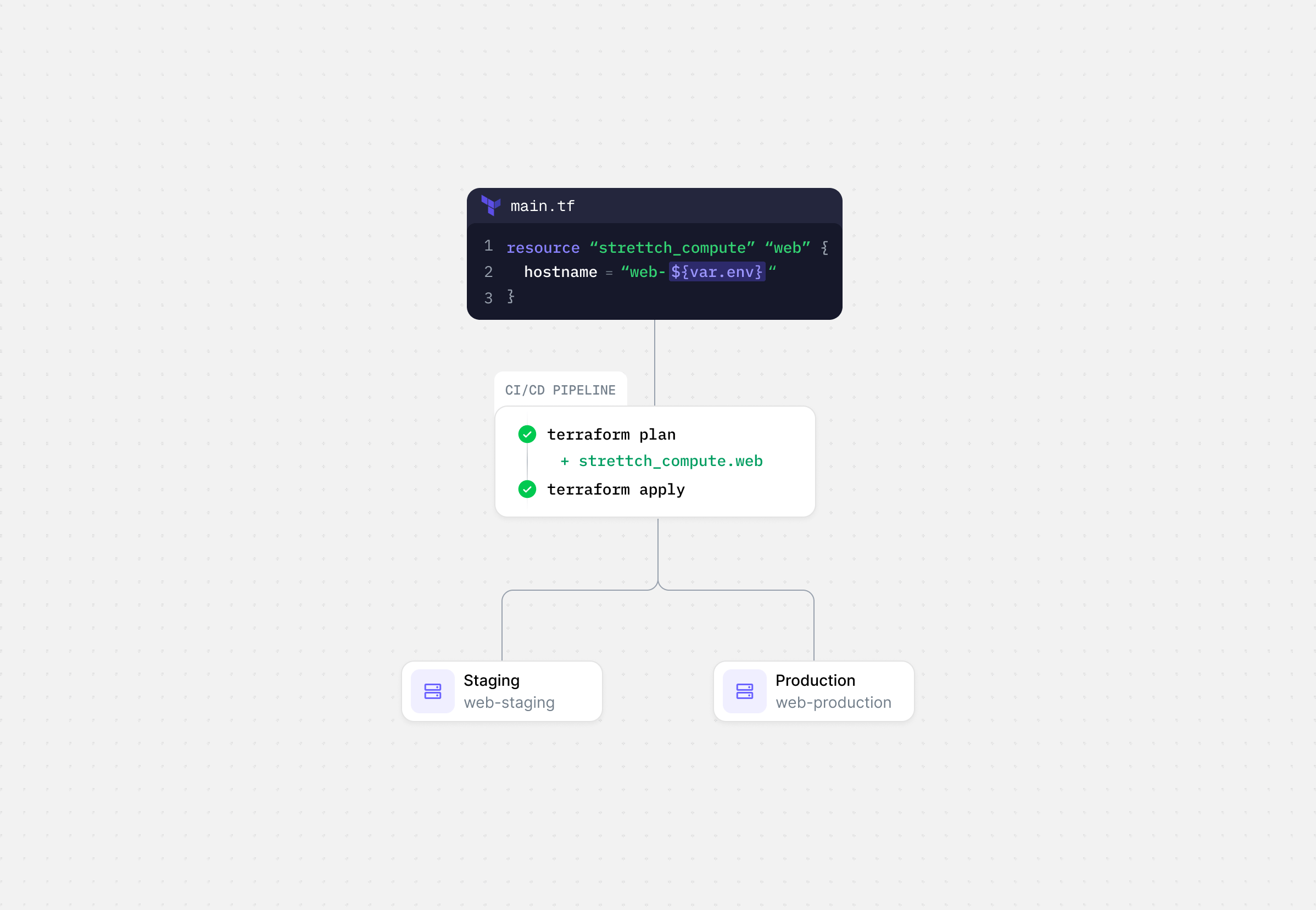
Spin up identical staging and production environments from the same definition.
Safe changes
Preview every change with
terraform plan before it touches your infrastructure.Fits your workflow
Run plans and applies from CI/CD, alongside the rest of your Terraform.
What you can manage
- Compute instances (
strettchcloud_compute) — create, update, resize, reboot, and destroy virtual machines. - Catalog lookups — resolve the available images, regions, and specifications as data sources, so you never hardcode a slug that might change.
Add the provider
Keep your API key out of your configuration files. Set it as the
STRETTCH_CLOUD_API_KEY environment variable, and store it as a secret in CI.Provider configuration
Every argument is optional, and each can be set with the matchingSTRETTCH_CLOUD_* environment variable. In practice you only set api_key — and even that is read from the environment by default (see Authentication).
API key, sent as a bearer token. Read from
STRETTCH_CLOUD_API_KEY by default. Sensitive — keep it out of configuration files.Base URL of the Strettch Cloud API. Also set with
STRETTCH_CLOUD_API_URL.Client-side rate limit. Higher values are capped to the API ceiling of
2. Also set with STRETTCH_CLOUD_REQUESTS_PER_SECOND.Maximum retries after the first attempt for retryable failures. Also set with
STRETTCH_CLOUD_HTTP_RETRY_MAX.Minimum backoff, in seconds, before the first retry. Also set with
STRETTCH_CLOUD_HTTP_RETRY_WAIT_MIN.Maximum backoff, in seconds, between retries. Also set with
STRETTCH_CLOUD_HTTP_RETRY_WAIT_MAX.Ready to deploy something? Head to the Quickstart.